Module 2 OOP Fundamentals Part 1
2026-02-04 08:33
Tags: #java
Duke Hsu
Topic outline Part - 1
- Introduction Netbeans IDE
- Netbeans Installing
- Netbeans basic use guide (How to make a New Project)
- Program Structure in Netbeans
- Basic Programming Rules in Java
- Creating Class
Introduction Netbeans IDE
Apache NetBeans is a free, open-source Integrated Development Enviroment (IDE) used to write , edit, compile, debug, and run programs, especially in java.
NetBeans combines: - Code editor - Compiler support - Debugger - Project management tools - More programming language support
Install NetBeans
Apache NetBeans 28
Download: https://netbeans.apache.org/front/main/download/
https://www.codelerity.com/netbeans/
NetBeans Basic Use guid
Interface
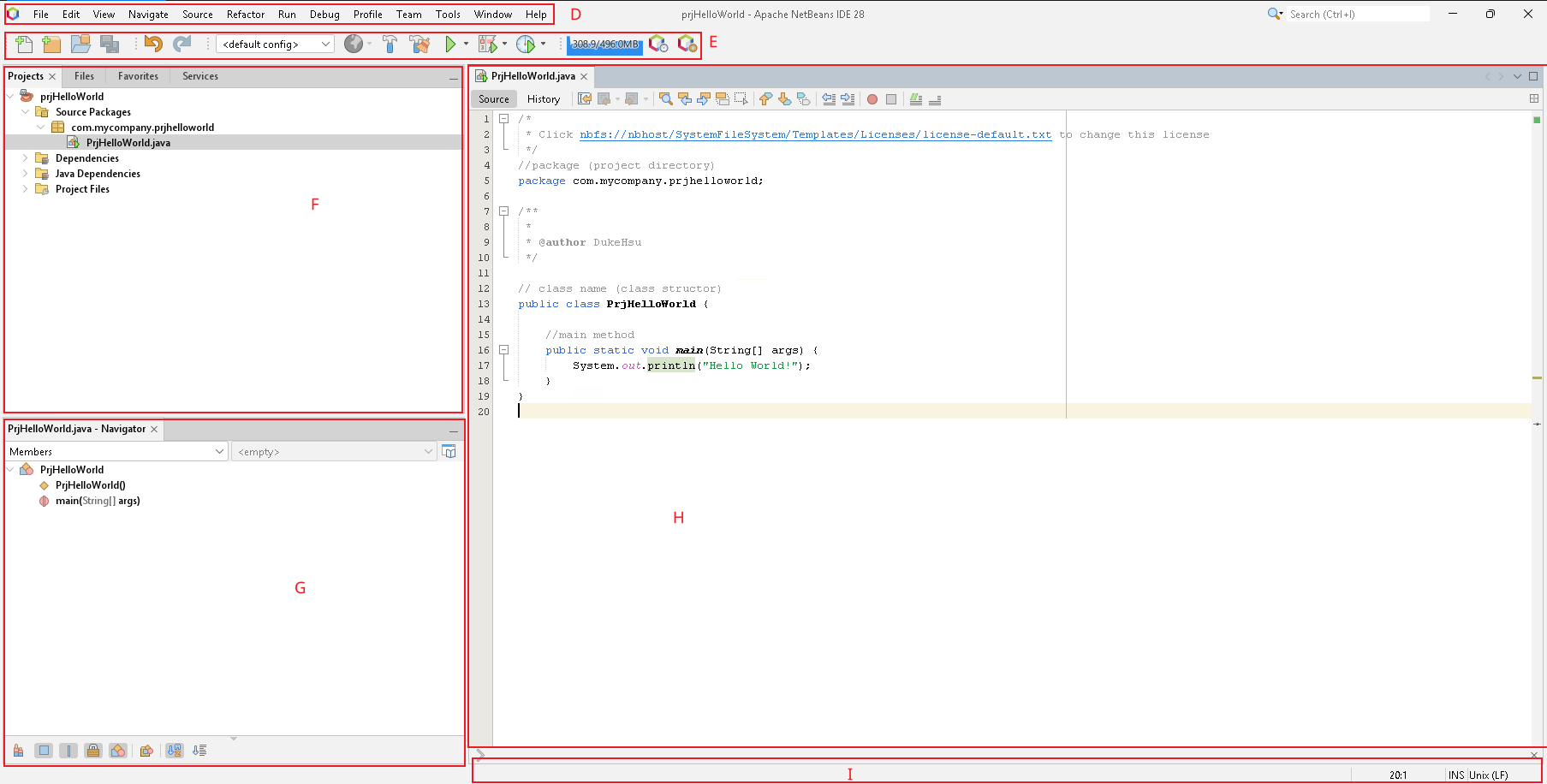
NOTE: A - K is refers to interface annotation
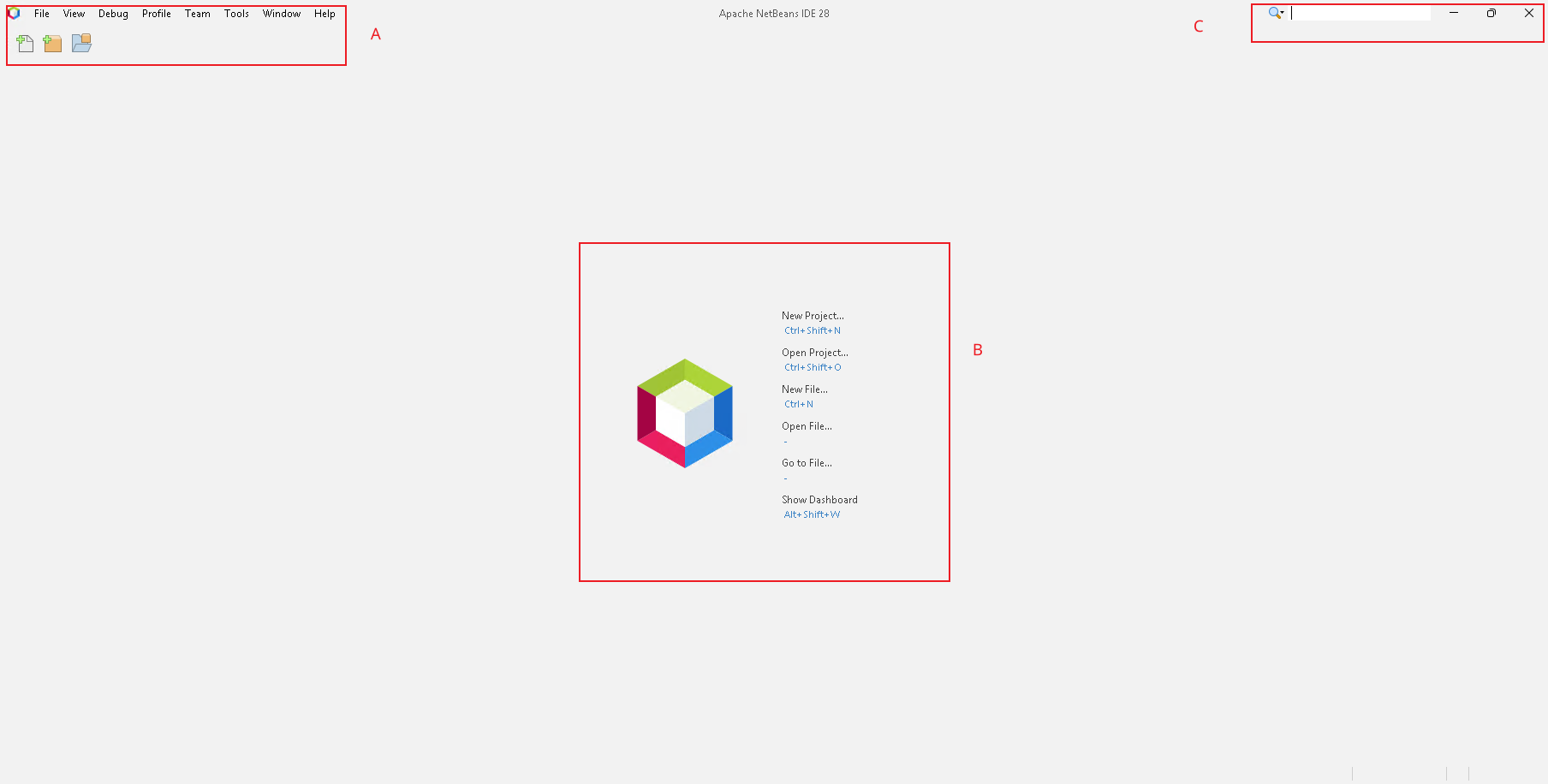
A - Menu Bar : Provides access to all NetBeans commands.
B - NetBeans Initial interface
C - Menu Bar: Search
D - Menu Bar: Provides access to all NetBeans commands.
E - Toolbar: Provides quick-access buttons for command actions
F - Projects Windows: Displays all projects and their structure - Labs in Project Windows : - File ,Favorites : Provides quick access buttons for common actions - Services : Used mainly for database and enterprise applications
G - Navigator Window: Provides a structural view of the current file / methods
H - Code Editor Window: Where you write , and view source code .
I - Status Bar: Located at the bottom of the IDE . Shows information such as current line number, file status , and notifications .
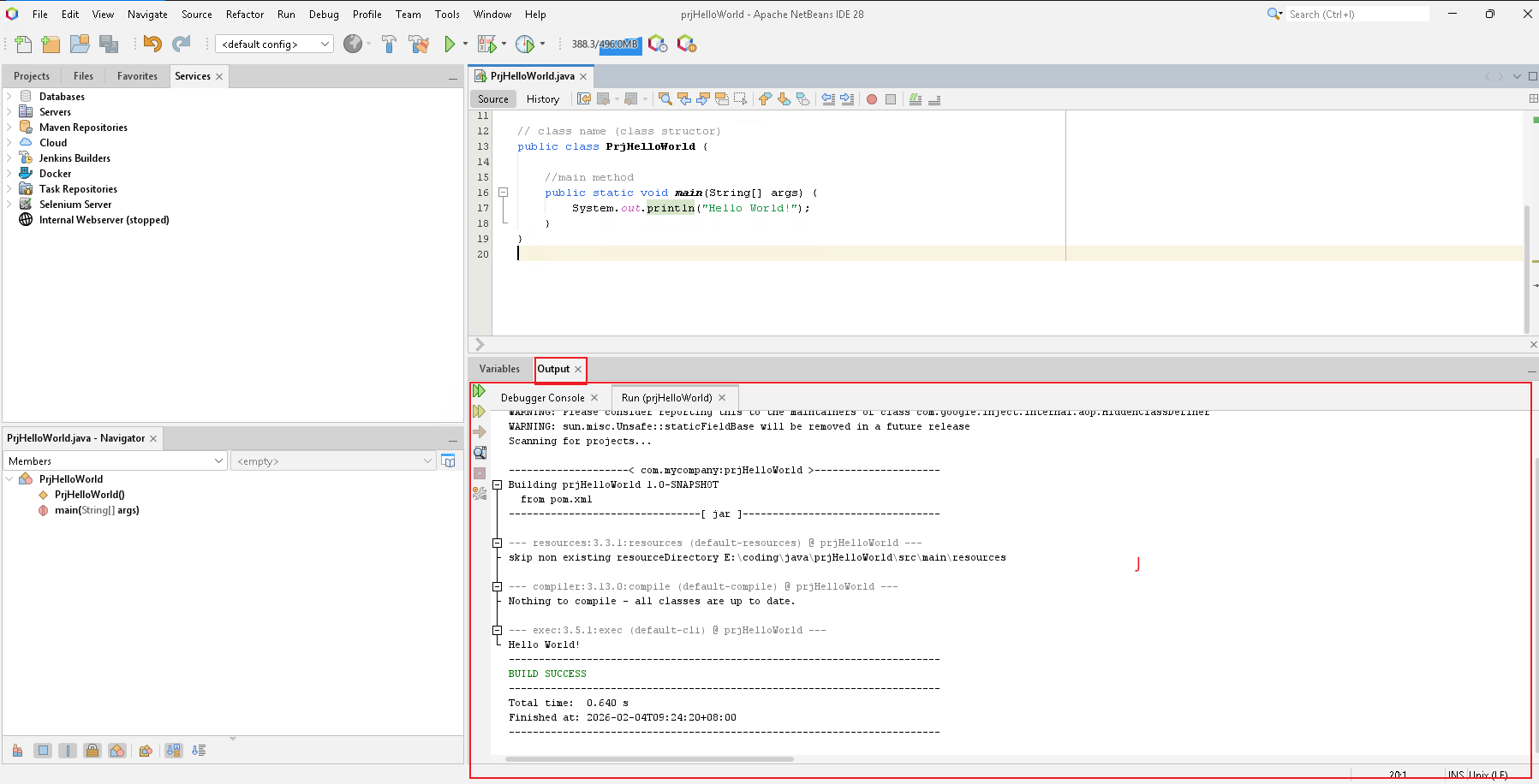
J - Output Window : Displays program output , compilation results, and error messages.
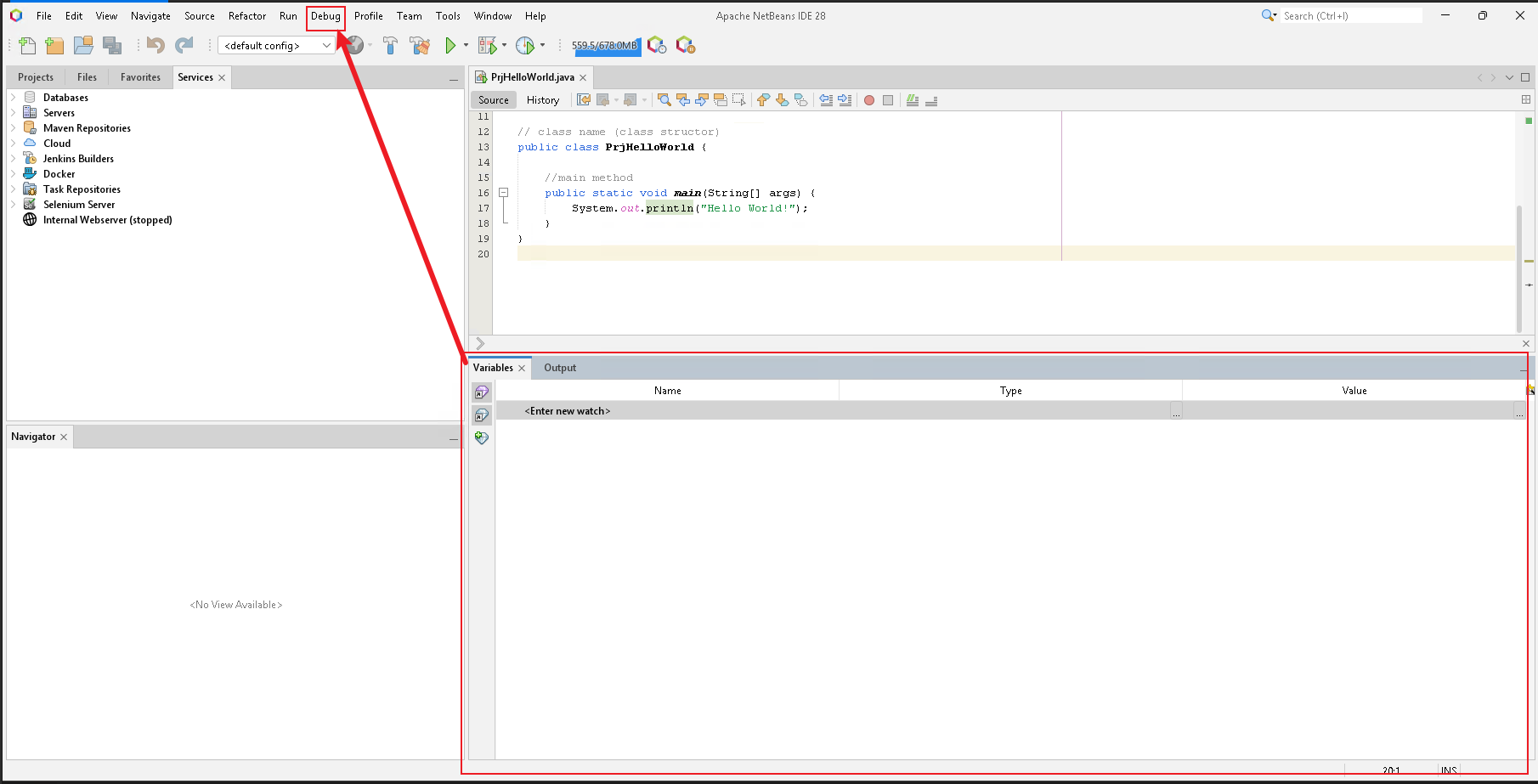
K - Debugging Window: Appears when debugging a program. Shows breakpoints , call stack, and variable values (MENU BAR -> Debug - New Watch)
How to make a New Project
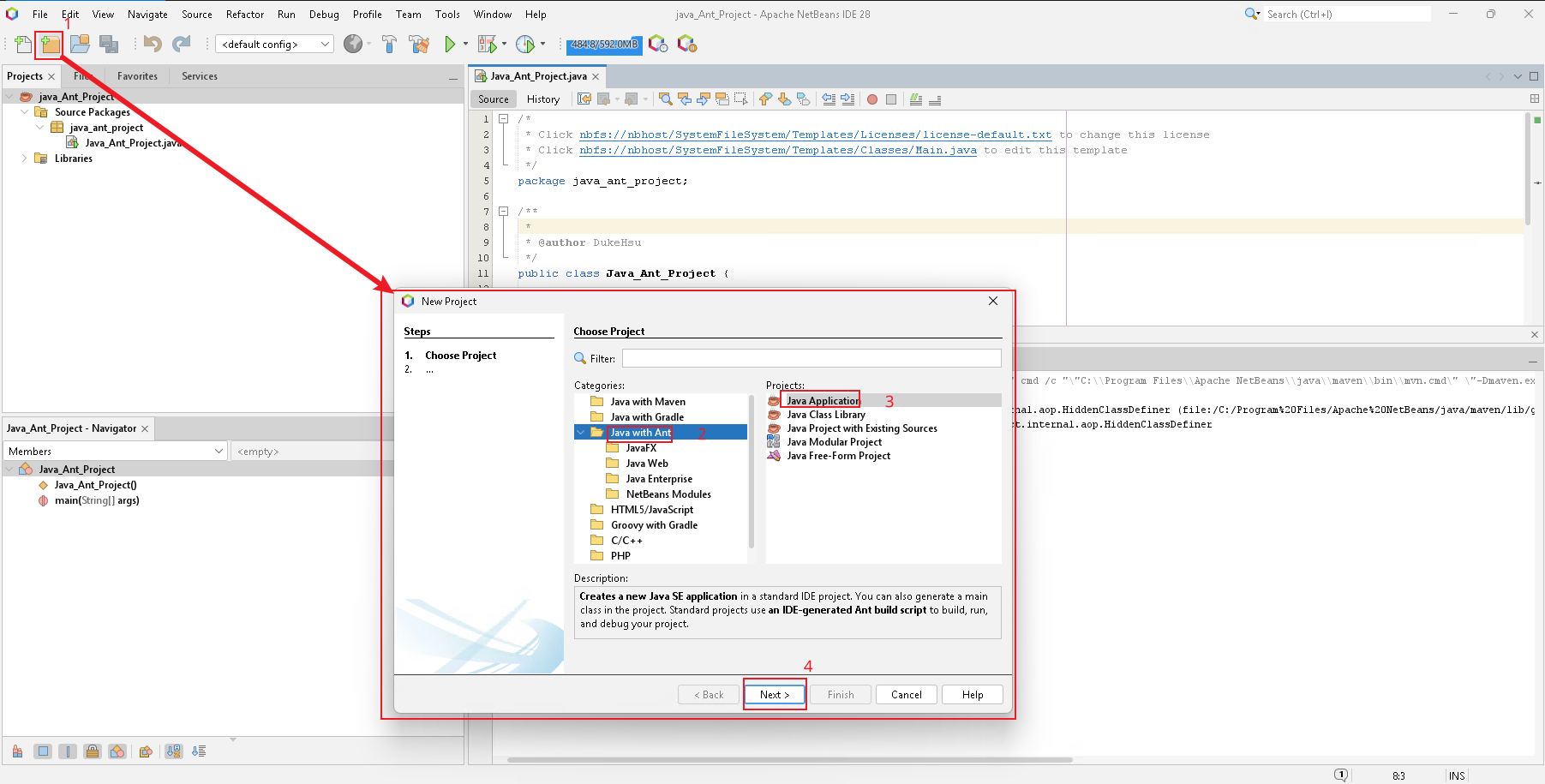
- Click File Menu > New Project from the Menu Bar or press short key "Ctrl + Shift + N" to create a new project
- Choose Java Application (java with Ant)
- Class name / meaning full the project name / location/
Program Structure
1 2 3 4 5 6 7 8 9 10 11 12 13 14 15 16 17 18 19 20 21 22 23 24 25 26 27 28 29 30 31 | |
Basic Programming Rules in Java
- Java Is Case-Sensitive
- Every Java Program starts with a Class
- The main() Method Is the Entry Point
- Statements Must End with a Semicolon
; - Curly Braces
{}Define Code Blocks - Class Names Must Match File Names
- Variables Must Be Declared Before Use
- Use Proper Naming Conventions
- Use the Correct Data Type
- Comments Improve Code Readability
| Element | Conventi | Example |
|---|---|---|
| Class | PascalCase | FirstName |
| Variable | camelCase | lastName |
| Method | camelCase | myTools |
References:
Module 2 - PPT